What is an AI harness, and how do you build one?
November 26, 2026

Everyone in your company has access to the same model as everyone in your competitor's company. Same Claude, same ChatGPT, same answers to the same prompt.
So the model is not where the difference comes from.
A large language model has no harness by default. It's vanilla, as generic as it can get. For simple things that's fine. Frontier models barely need help to search online or write a text from a prompt.
But ask it to do your work, the way you do it, and you get something that looks right and is pretty average. AI will 10x your work. Without a harness, it will also 10x your confidently mediocre output.
What is an AI harness?
A harness is everything you build around the model so it does a specific job the way you would. A role, rules, skills, commands, helpers, connectors to your tools and your own documents.
In the past you had the LLM and the prompt, and that was it. Your output was as good as the prompt.
Then the prompt grew into context. In June 2025, Shopify's CEO Tobi Lütke said he prefers "context engineering" over prompt engineering, and Andrej Karpathy backed the term a week later [1]. We started adding data, documents and know-how on how to do something. Our five layers for consistent results come from that period.
Now this has matured into the harness. And a harness is not much different from a prompt. It's a lot more engineered, and it's reproducible. The same input gets you mostly the same output, or the best approximation of it.
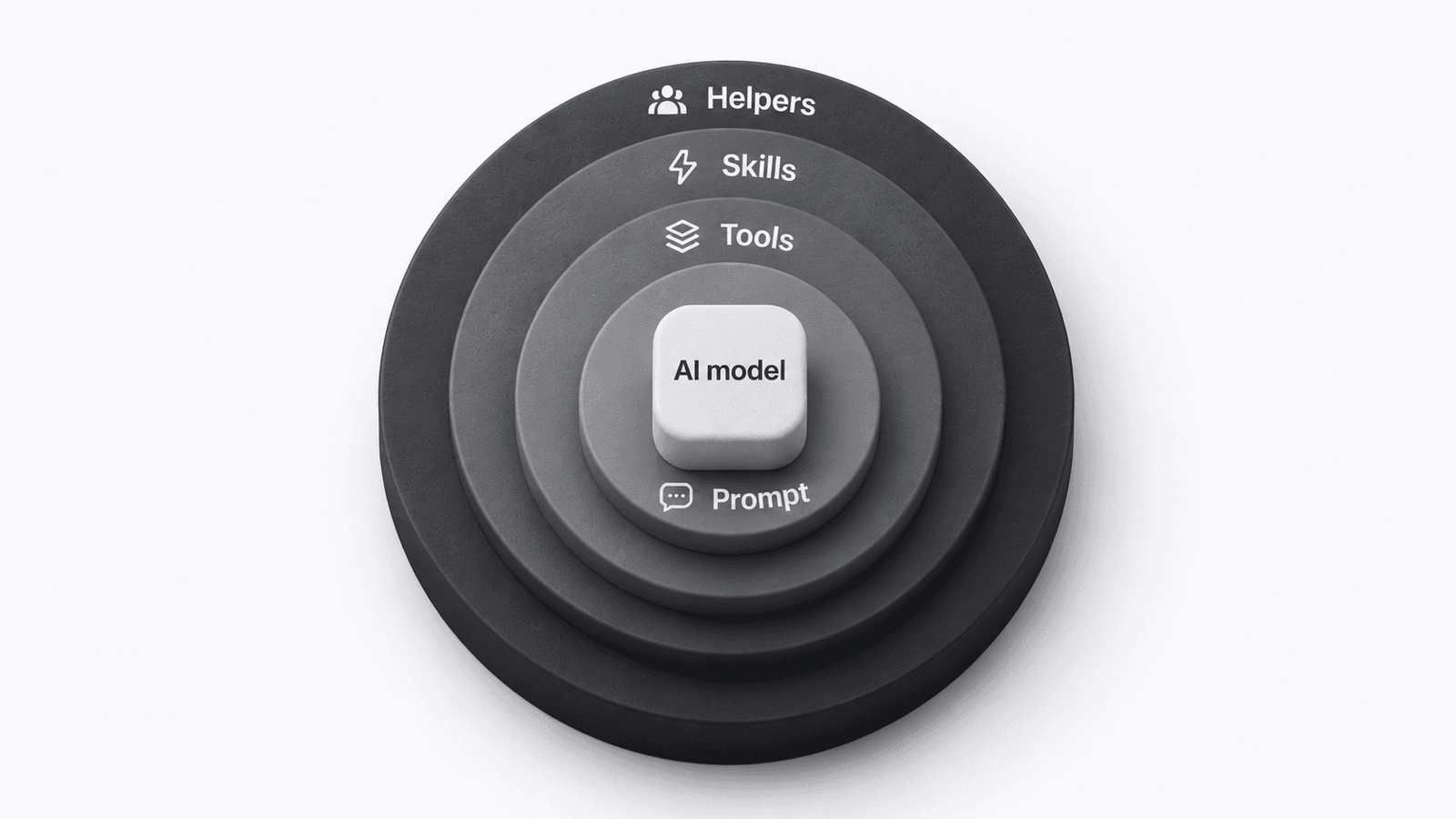
Sooner or later, any app will need a harness. So will any department, any role and any user. That's why I think it's one of the most important concepts to master right now.
Why should you treat AI like a new junior?
Because that's what it is: a skilled generalist on their first day. Pretty capable, but they don't know your company, your tasks, your data or your tools. So you need to teach them.
Think about how a real junior starts.
They come from university with a generic set of skills. On top of that they got a specialization, like computer science, finance or law. At work they get tools: a laptop, a CRM like HubSpot, email.
Then someone teaches them how to use HubSpot in the context of this business. How to take the information and turn it into useful work for colleagues and clients.
They also get strict rules. Office policy, IT and security policy, a code of conduct. And they get colleagues who can do parts of the work for them, like a finance colleague who runs research they then use in their own work.
That's pretty much it. And that's also the anatomy of a harness.
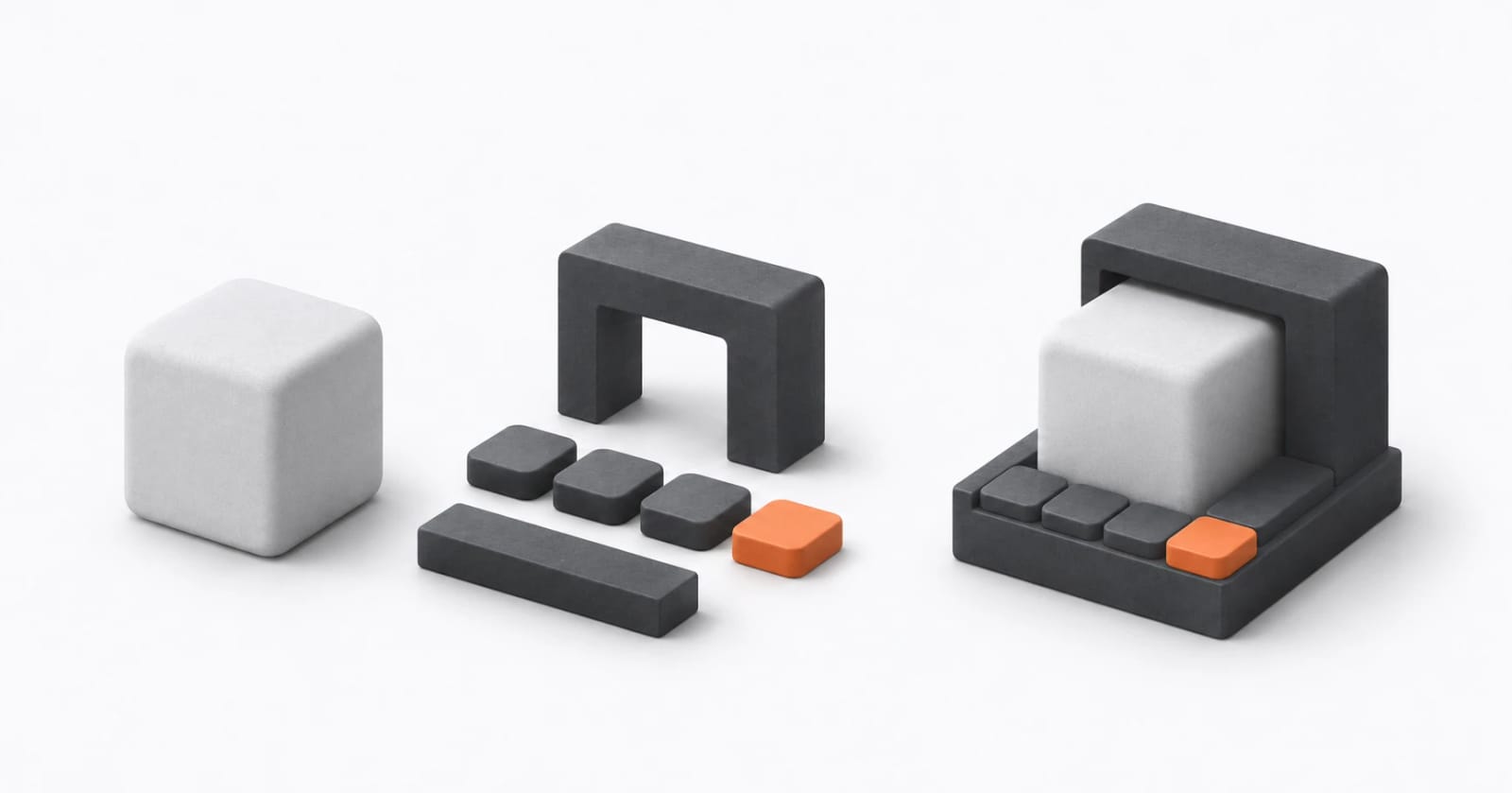
| The junior | The harness |
|---|---|
| University degree, generic skills | The model |
| Job title | Role |
| Specialization, plus "how we do it here" | Skills |
| Laptop, CRM, email | Connectors |
| Code of conduct, IT and security policy | Rules |
| The colleague who runs research for you | Helpers |
| The shared drive with the sales strategy | Documents |
| "Every Monday you prepare the pipeline report" | Commands |
| The handbook's table of contents | Index |
There's research that shows why this works. A study of 5,179 customer support agents found an AI assistant made them 14% more productive on average [2].
The newest and least skilled agents gained the most, 34%, while the best ones barely changed. The AI had learned from how the best agents worked, and passed that on to everyone else.
That's what a harness does on purpose. You take how your best person does the job, write it down, and every junior, human or AI, starts from there.
What does a harness look like for a real role?
Take a Sales Assistant. It sounds like a real role, because the role is the first thing you define.
It gets a few skills: writing the monthly report, sourcing prospects, preparing sales presentations.
Yes, but Claude does this already. Ok, but does it do it the way you want and like? Probably not. The skills are where you teach it your way.
Then the tools, which it reaches through connectors. Search, a browser to open LinkedIn, access to HubSpot to check existing customers.
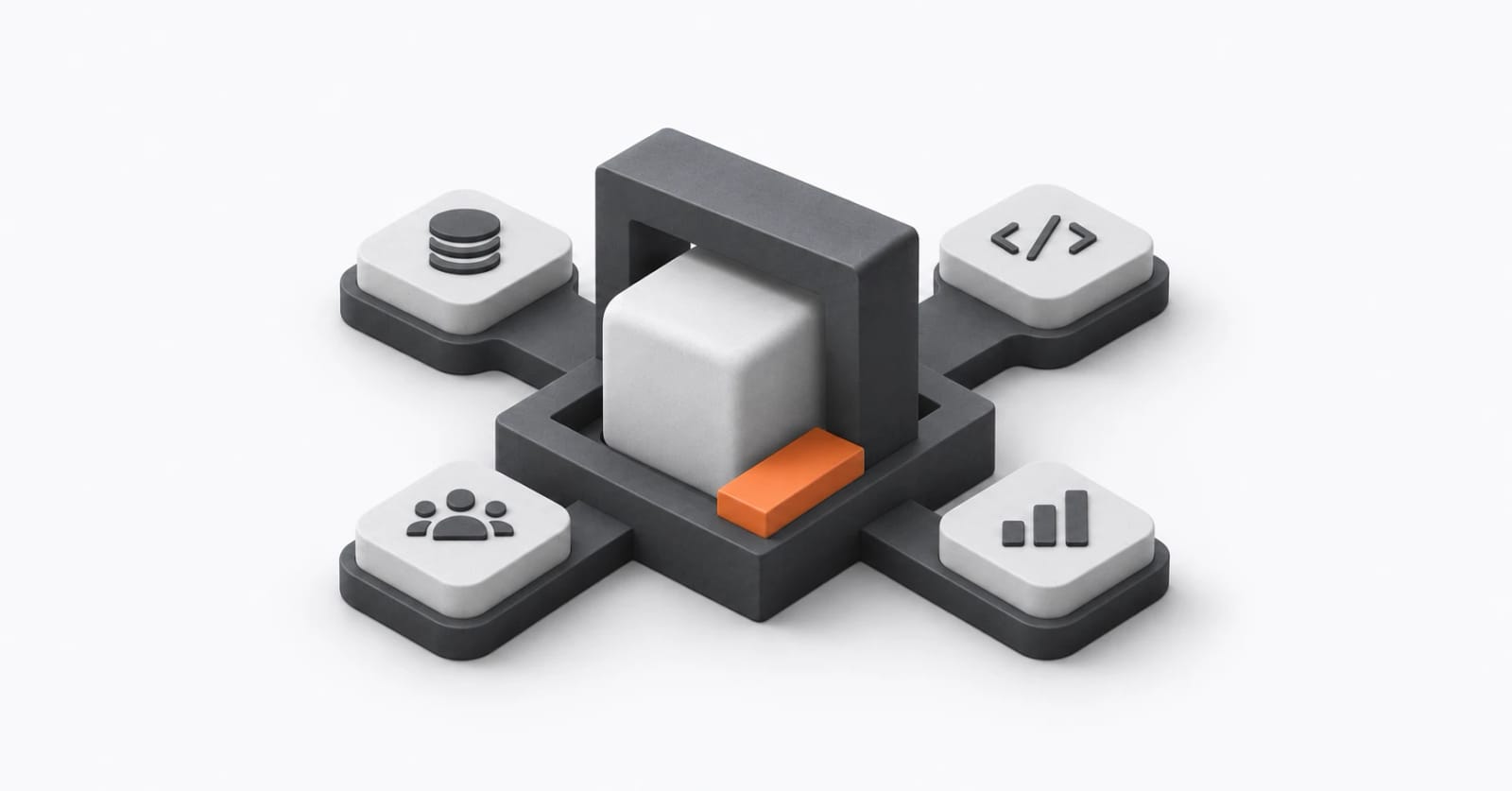
Then the strict rules on what it can and cannot do. "Never send a quote without the account manager's approval" is a rule. "Be professional" is not.
It can also have helpers. A deep-research helper that finds everything about a customer in internal and external sources, or one that builds the presentation. My rule of thumb: if the agent would work on something for five to ten minutes, give it to a helper, so it doesn't pollute the main conversation.
Finally, it gets your canonical information, like the sales strategy. Usually one or two skills share each document.
We see the same pattern in our client work. On our sales assistant build with a manufacturer, the AI never sees the whole database. It calls approved analyses that return checked numbers, so everyone gets the same answer.
Do you need all of these blocks?
No. The simpler the better, and helpers are not always needed.
Anthropic gives the same advice to developers: find the simplest solution possible, and only add complexity when you need it [3]. Sometimes that means no agent at all.
The biggest mistake I see is building it all at once. A large shabam generated by AI, covering all your workflows. It looks impressive, but you stop understanding what it does.
Build it gradually, close to the work. Most first harnesses are one role, a few rules, one command and one or two skills. Notice where it makes mistakes, and improve it.
Do you have to build all of this from scratch?
No. Claude and ChatGPT already come with a harness of their own.
You can see it in how the products behave. Claude Code is tuned for coding and building apps. Claude chat is tuned for office work, like presentations and spreadsheets. We compared them in Claude vs Claude Code for knowledge workers.
So think of Claude as a harness runner. You bring your harness and build it on top of the existing one.
That's way simpler. Creating slides or using the browser comes out of the box, so you don't reinvent the wheel. You focus on what matters: your actual task.
This is the most plastic technology we've ever had. We spent years using SaaS that was never built for us. Now we can build around how we actually work.
How do you decide which work goes into the harness?
You start from your week, not from the tool. Picking the right work is the most important step, so we built a filter for it.
Four questions, in this order:
- What repeats? Weekly, or every shift.
- Can you name the steps? If you can say it, it can run.
- Where is the judgement? The part only you can call.
- Who signs it? The line you keep, always.
A week of work goes in. One task comes out: your first build.
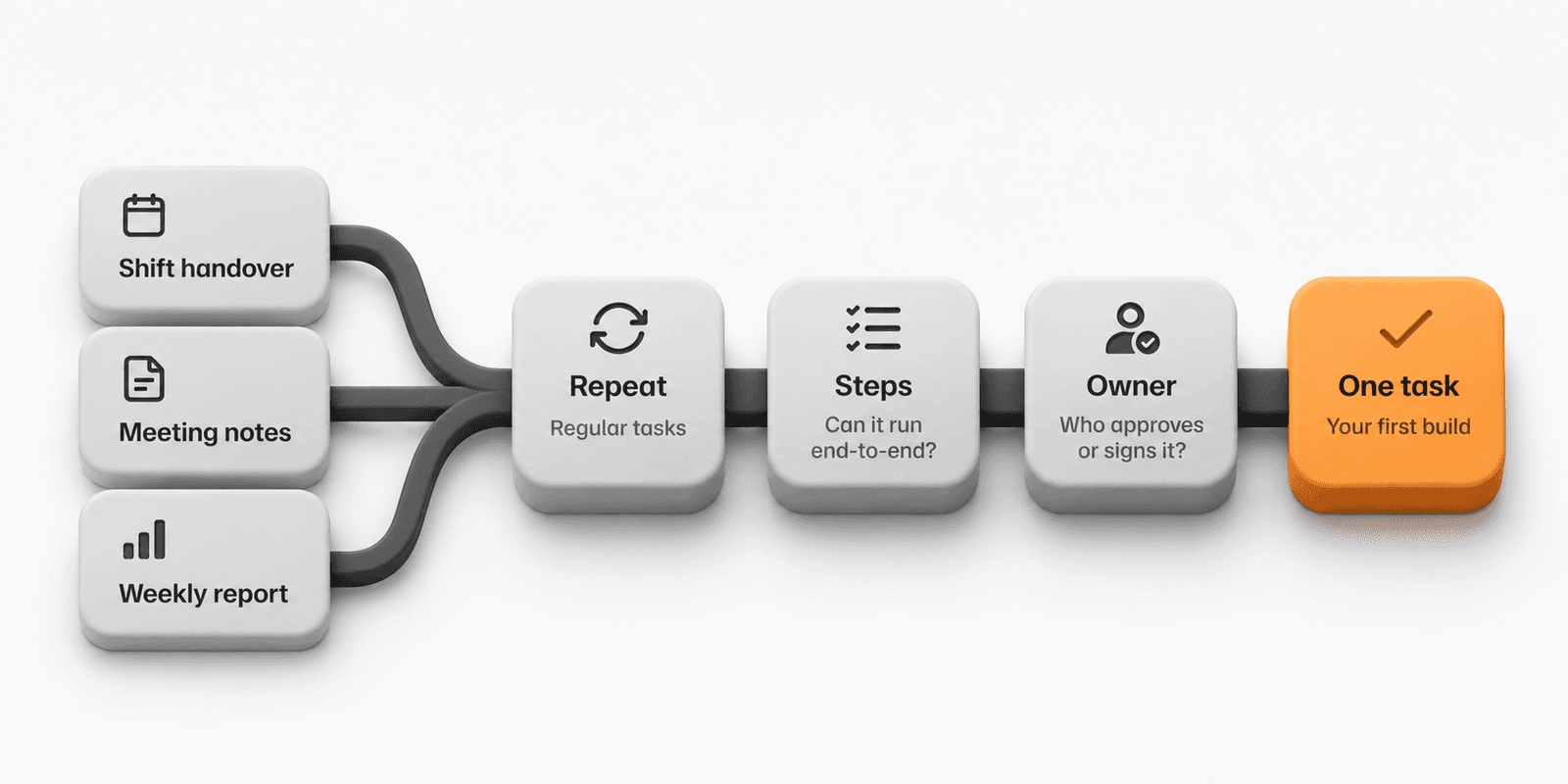
The judgement you can explain becomes a skill. The part only you can call stays with you, and whoever signs it becomes a human checkpoint in every procedure. The AI drafts, a named person approves.
Skip this and you pick the wrong task, or leave out the checkpoint. Then AI creates more work instead of less.
Deloitte Australia learned the cost of a missing signature. In 2025 it partially refunded a A$440,000 government contract after the report it delivered turned out to contain made-up references and a fabricated court quote [4].
We used this filter at an airport operator's training center. Staff came in curious and skeptical. One Aviation Admin Officer built a harness for shift handovers, bilingual circulars and missing audit evidence. The agent could not invent facts or make safety calls, and every output needed a named approver. Read the airport story.
Start from your week. Let the work pick the tool.
How does Harness Builder turn this into a conversation?
We put everything we learned from workshops and client work into a harness of our own: Harness Builder. It builds harnesses with the same anatomy every time.
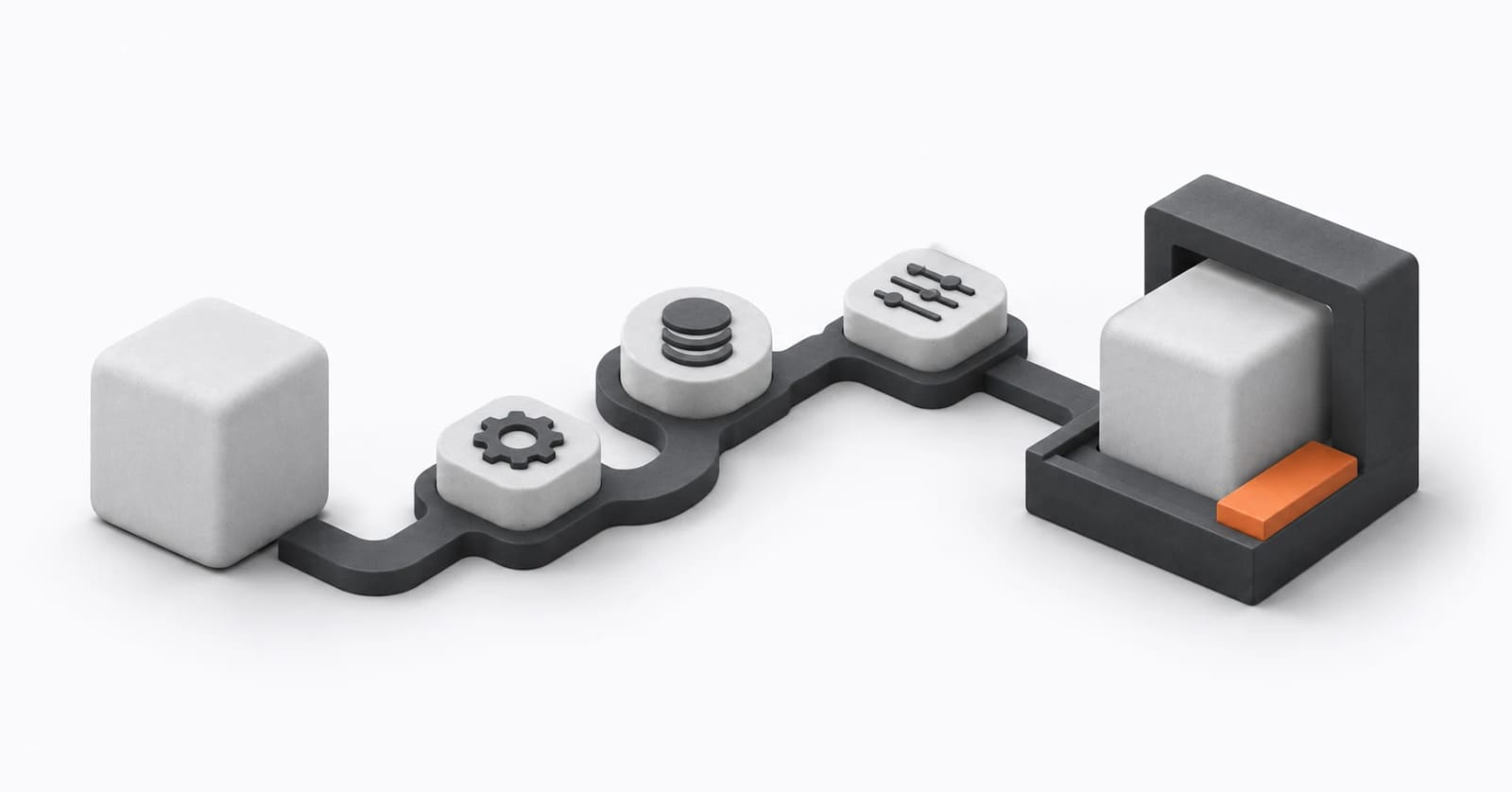
It starts with an interview. My advice: use voice. Explain your work to the AI the way you would explain it to a junior. Talking is faster than typing, and you keep the details you'd cut on paper.
From your answers it runs the four questions. It shows you which tasks pass, and helps you decide what's worth automating now.
Then it splits what you said into the right pieces. Your role and rules go into one file, AGENTS.md, which Claude Code, Codex, Cursor and GitHub Copilot all read. Steps become commands, your judgement becomes skills, and heavy research becomes a helper, but only if you need one.
It also comes with data boundaries. Run /harden-harness and it walks through what data each task touches, then writes the limits into the harness as rules it refuses to break. Personal and sensitive data stays out of external systems, agents and companies. Where your setup allows, it adds warning checks on top, but the written rules are what hold. More on that in how to build AI projects securely at work.
Once the first command earns its keep, /extend-harness teaches it the next task, and /review-harness checks what's missing, broken or overbuilt.
We use it ourselves. Our venture sprint framework, which takes a raw business idea to a tested, fundable venture in eight stages, is a harness built with it. The commands are the sprints, the skills are the methods, and the helpers are the researchers, the red team and the judges.
In a half-day workshop, a career consultant used it to turn their coaching method into a harness. It interviews the client, researches the market, and builds the LinkedIn profile and CV around the client's proven cases.
How do you share a harness with your team?
A harness is a folder of plain-language files, so you can share it like any other folder.
Skills and knowledge should never live only in your directory on your machine. If one person improves something, everyone should be able to build on it.
Three ways, from quick to proper:
- Zip it and send it to a colleague to install on their machine.
- Keep it in a team repository, so everyone uses and improves the same version.
- Ask your IT team to install it company-wide through your organization's Claude account.
The last one scales best. The builder packages your harness as a plugin, built once and installed everywhere. IT decides who gets what, with the same controls they already run.
What does the builder not do for you?
It doesn't test your harness. It reminds you to, but that part is still yours.
Keep five to ten real past cases, each with the answer you would sign. Run them again after every change. If the output got worse, you know before your client does.
We learned this in the airport workshop. After day two, we graded the participants' nine agents overnight with an agent that grades agents. It quoted the line behind every verdict.
What we told the room the next morning: one weakness is a good result. Three means your rules were too thin. Zero means you didn't test it on anything real.
Where does a harness fit in an AI transformation?
A harness lives with the employees, but it only stands if management and IT stand under it.
I see an AI transformation as a triangle. Management, leadership and strategy at one corner. IT, infrastructure and technology at another. The employees at the third. All three need to be in sync.
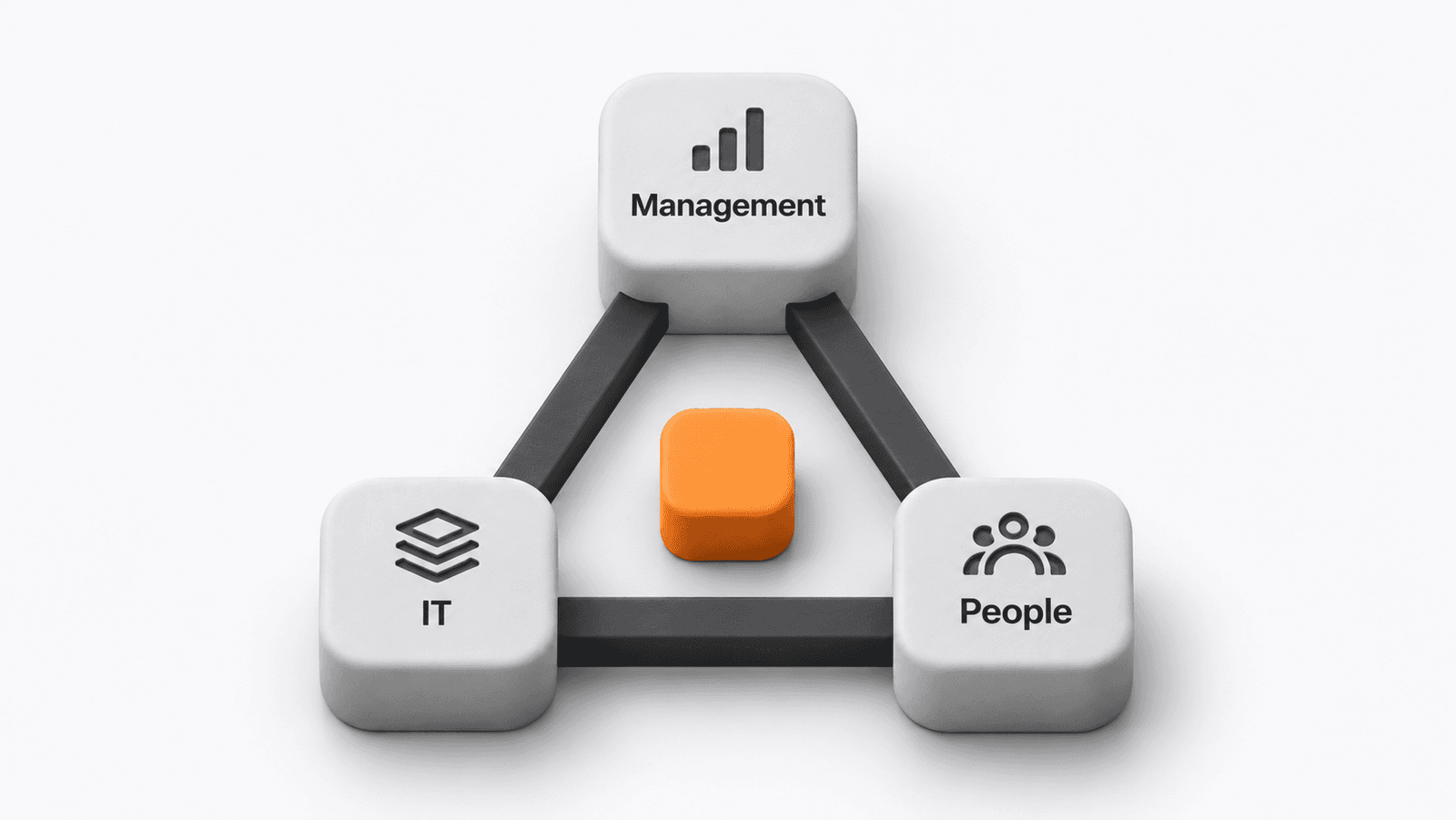
If the strategy isn't right, everyone does whatever they want. If the IT part isn't right, you get security incidents, friction and shadow AI. And if people don't use it, what's the point?
BCG's 10-20-70 rule gives a second view. About 10% of AI value comes from algorithms, 20% from technology and data, and 70% from people and processes [5].
In our triangle, the 70% runs through all three corners: people, process, policy and governance. The 20 and the 10 sit mostly with IT.
Every company is different, so the 70 can be 50. Part of our work is finding where a company sits on that scale, and which corner to start from. We wrote about that order in why most AI adoption fails.
This article is mostly about the employee corner. But if you build on Claude, IT manages the governance. It configures the Claude plan, allows things like artifacts, installs company-wide harnesses and decides which tools are allowed. It also tracks cost and monitors use.
So Claude becomes a central piece with its own harness, managed by IT. On top of it, a team or an individual builds their own. I see this as a focused prism: everything that gets built comes out aligned with management and the company strategy.
Will better models make the harness unnecessary?
No. Models and harness runners like Claude will get extremely good over time. The difference will be made by your harness and your data access, but most of all by your people and management alignment.
The model is a component of your system. It shouldn't become the system.
A lot of people think AI will become AGI and all our problems will be solved. I don't believe this.
Business reality is extremely messy, and AI can't find its way through it by itself. There's also a power paradox: people won't hand the keys to the empire to an agent.
So it's extremely important that we, as humans, get aligned on this topic and build the future we all want.
You can use AI to go sideways and do five jobs at an average level. Or you can use it to go deeper and become way better at the job you already know. A harness is how you go deeper. You put your judgement, your rules and your signature into it, the AI does the repeatable part, and you keep the part that matters.
Where do you start?
Pick one task from your week. Run it through the four questions. Then explain it to the AI the way you'd explain it to a new junior.
Harness Builder walks you through it. It interviews you, filters your work and generates a harness you can run in Claude, improve over time and share with your team. If you want to do this with your whole team, with your rules and your data in the room, that's what our hands-on workshops are for.
Sources
[1] Simon Willison, "Context engineering", 27 June 2025: https://simonwillison.net/2025/Jun/27/context-engineering/ (covers Tobi Lütke's post and Andrej Karpathy's reply).
[2] Brynjolfsson, Li and Raymond, "Generative AI at Work", NBER Working Paper 31161: https://www.nber.org/papers/w31161. Published in the Quarterly Journal of Economics, 2025. A later version reports 15%.
[3] Anthropic, "Building effective agents", December 2024: https://www.anthropic.com/engineering/building-effective-agents
[4] The Register, "Deloitte refunds Aussie gov after AI fabrications slip into $440K welfare report", 6 October 2025: https://www.theregister.com/2025/10/06/deloitte_ai_report_australia/. Fortune reported the same story on 7 October 2025.
[5] BCG, "The leader's guide to transforming with AI": https://www.bcg.com/featured-insights/the-leaders-guide-to-transforming-with-ai. 10-20-70 is a consulting framework, not a measured result.
Frequently Asked Questions
What is an AI harness, in one sentence?
A harness is the role, rules, skills, commands, helpers, connectors and documents you put around an AI model so it does a specific job the way you would, every time.
Do I need to code to build a harness?
No. A harness is mostly plain-language files. Harness Builder interviews you about your work and writes those files for you. You need Claude and the patience to explain your job like you would to a new colleague.
Which task should I start with?
Pick something that repeats every week or every shift, has steps you can name, and ends with a person who signs it. A monthly report, a handover or a set of minutes are good first builds. Work that is different every time is not.
Is my company data safe in a harness?
It depends on how you build it. A good harness reads only what the task needs, keeps personal and sensitive data out of outside tools, and never sends anything without a named person approving it. Your IT team should still decide which tools and connections are allowed.
Can I share a harness with my team?
Yes. You can zip it and send it to a colleague, keep it in a shared team repository, or ask the person who manages Claude in your company to install it for everyone.
Related articles


Where would AI help your team?
Tell us about your team and the work you want to change. We'll help you pick the right next step.